The Architect of Access: How Citrix ShareConnect Redefined Enterprise Mobility (2013-2017)

Revisiting Tech Breakthroughs: 10 May 2017
Editor’s Note: In our effort to revisit tech breakthroughs from the past, we bring to you the ShareConnect story, the effects of which reverberate even now. As tech stories go, this Citrix marvel was indeed instrumental in paving the path for innovation in accessibility.
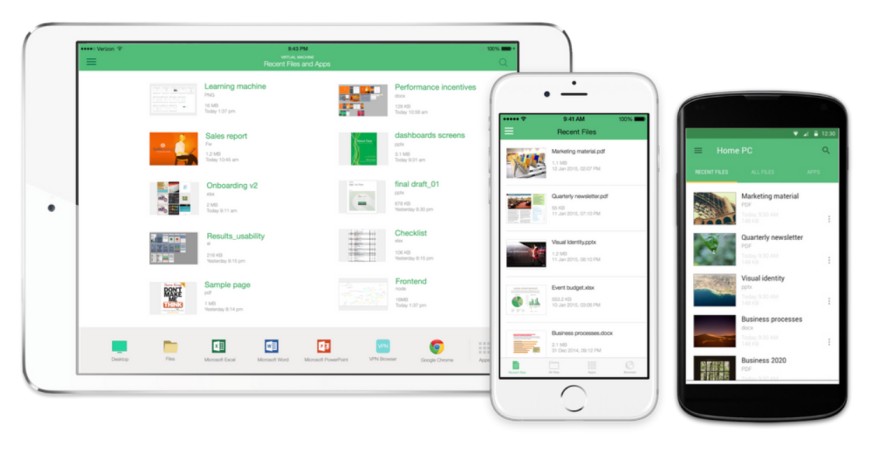
Between 2013 and 2017, enterprise computing was defined by the collision of mobile-first expectations and desktop-bound reality. While employees brought iPads to boardrooms, critical workflows remained trapped on office PCs. Citrix ShareConnect bridged this gap by reimagining remote access. It didn’t just stream the desktop; it translated it.
As UX designer Tej Kalianda, the lead designer who outlined the design philosophy driving ShareConnect, says, “The goal wasn’t another remote desktop, it was a “translation layer” between two metaphors of work. The precision, density, and mouse-driven nature of the desktop had to be reimagined for a sheet of glass controlled by fingers and thumbs.”
In doing so, ShareConnect helped redraw what “access” meant, not just reaching a machine remotely, but reshaping decades of desktop thinking for a mobile, touch-first generation.

As winner of the Mobile Star Awards 2016 “Best Consumer Remote Desktop App”, the industry recognition ShareConnect stands testimony to its pathbreaking technology too.
A quick deep dive tells us more.
Closing the "Experience Gap"
In 2013, a stark “experience gap” divided the workforce. While employees had migrated to mobile, their critical tools remained trapped on physical desktops, rendering essential workflows inaccessible or clumsy on tablets.
The industry standard was raw desktop streaming. A sluggish, artifact-prone experience hostile to touch. It felt like viewing a workstation through a keyhole, rendering precise interaction nearly impossible. That was the backdrop. People were ready for mobile work, but the access layer was actively fighting them.
Tej Kalianda: The industry was stuck in a software “uncanny valley.” On an iPad, the desktop looked familiar, but it felt wrong, laggy, awkward, and hostile to touch. For users used to smooth, responsive iOS apps, that gap was impossible to ignore. Eventually we realized “good enough” remote access wasn’t good enough. Simply mirroring a desktop and calling it mobile wouldn’t work. Mobility had to be the main design lens, not a side feature. That meant rethinking everything from the ground up for touch, responsiveness, and context, instead of treating the tablet as a tiny window into a PC.
The Doctrine of "Pixel-by-Pixel" Design
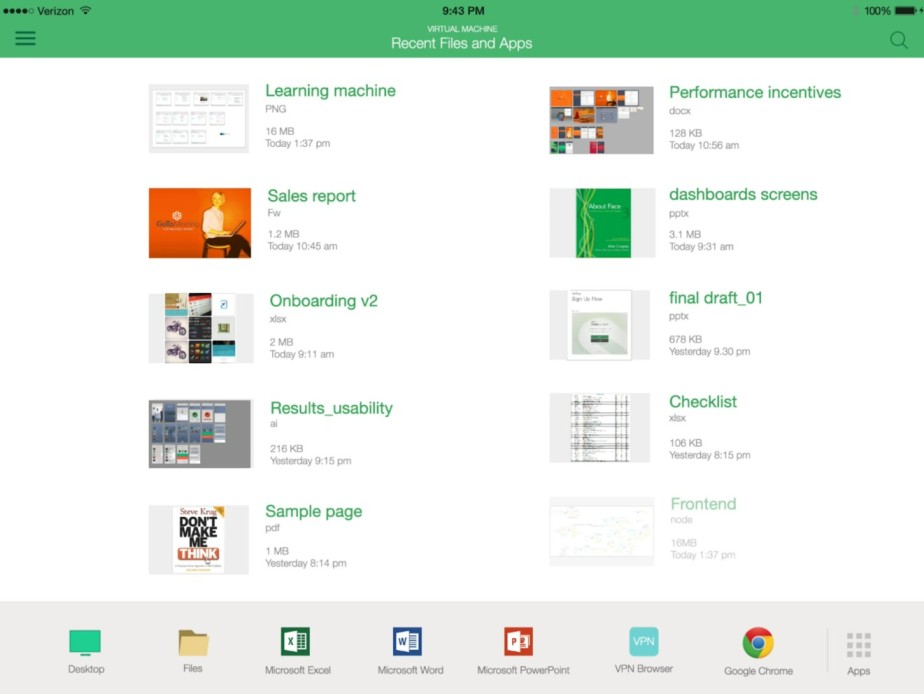
While many competitors were satisfied with heavily compressed streams that traded clarity for speed, Citrix’s engineers and designers took a harder path. They committed to an architecture tuned “pixel‑by‑pixel,” treating every tiny detail on screen as something that had to be preserved, not blurred away.
That wasn’t a marketing slogan; it was a practical necessity. For dense enterprise tools like Excel or AutoCAD, where a single cell value, a thin gridline, or a precise coordinate can change a decision, visual fuzziness isn’t just annoying, it’s dangerous.
Tej Kalianda: “We called this the ‘fidelity mandate.’ Standard compression would blur text or drop frames, and that wasn’t acceptable. If someone taps the wrong cell in a financial model because the screen is fuzzy. That’s not a user mistake, that’s a design failure. So we went back to the drawing board and re‑architected the entire rendering pipeline to work with mobile realities like limited bandwidth, battery, and screen size, without ever compromising the sharpness of the image. The goal was simple but ambitious. To prove that ‘enterprise tool’ doesn’t have to translate to ‘ugly and slow’ on a tablet.”
Security as "Invisible UX"
In 2014, remote access was an IT nightmare. Relying on open ports and fragile VPN tunnels, every connection represented a potential security liability.
ShareConnect inverted the security model by utilizing outgoing signals rather than requiring inbound firewall exceptions. This “firewall friendly” architecture satisfied strict IT standards while eliminating deployment friction for administrators.
Tej Kalianda: “There’s almost always a tug-of-war between usability and security. Our mantra was ‘security with simplicity.’ We wanted all the complexity to disappear for the user. By relying on outgoing connections, we effectively made the firewall a non-issue for them, while still giving IT full control and peace of mind. It was secure from the ground up, but it felt like installing and using a consumer app. That was our answer to the Shadow IT problem, to give people a secure tool they actually enjoy using, so they don’t feel the need to sneak in risky workarounds.”
Solving the "Last Mile" with the X1 Mouse
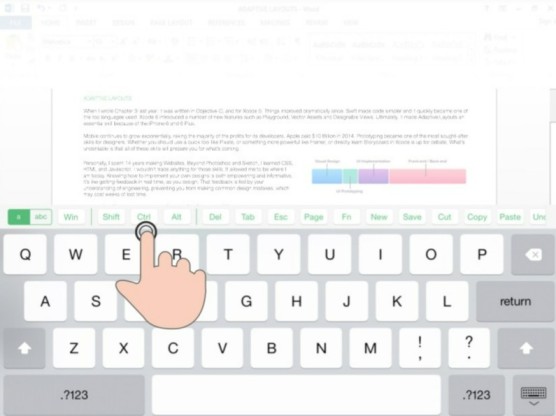
Recognizing that touch interfaces lacked the precision required for professional workflows, Citrix engineered the X1 Mouse. This purpose-built hardware bypassed iOS restrictions to deliver full mouse support, enabling the hovering and right-clicking necessary to transform an iPad into a viable workstation.
This integration transformed the iPad into a precision workstation. By enabling right-clicks and fine-grained control, it bridged the critical usability gap between mobile and PC, finally making “real work” on a tablet viable.
Tej Kalianda: “The X1 Mouse was a real turning point for us. We were working inside a tightly controlled iOS ecosystem that didn’t support mice at all, so we had to get creative. We ended up building the mouse driver directly into our own app. It was a true example of symbiotic design, hardware and software planned together from the start to solve one very specific workflow problem.
That decision changed what the iPad could be in an enterprise setting. It stopped being just a beautiful screen for reading and light editing, and started behaving like a full workstation. For power users who needed precision, right‑click actions, and fine control, it felt like the final bridge between casual tablet use and serious, everyday production work.”
The Verdict: Design as a Competitive Moat
By 2017, ShareConnect’s design value was confirmed when its technology and underlying patents were formally licensed to the entity managing rival GoToMyPC. SEC filings reveal that the spin-off entity prioritized securing ShareConnect’s specific technical innovations, proving its architecture was a critical competitive asset rather than just a legacy tool.
That a competitor chose to license and integrate ShareConnect’s core innovations, like access, rendering, and security, is the ultimate validation. It confirms that the product’s design was not just a differentiator, but a commercially indispensable asset worth paying for.
Tej Kalianda: “In the world of IP, companies don’t pay to license something they can easily recreate on their own. The fact that a major competitor chose to plug in our exact design architecture, our interaction patterns, our rendering logic, instead of rebuilding from scratch says a lot. It’s proof that UX isn’t just surface‑level polish; it’s a real, defensible competitive edge. With ShareConnect, we didn’t simply push people away from the traditional desktop. We reshaped the very lens they use to look at that desktop in the first place.”
Citrix ShareConnect: A Pathbreaking Blueprint
Citrix ShareConnect stands as a triumph of pragmatic innovation, and the industry acknowledges it accordingly.
ZDNET notes how the app enabled users to “work on one device and then seamlessly shift to the next. The Cambridge Network highlights how it brought “desktop-like experience and functionality” to iPad and Android tablets.
VMblog shares how ShareConnect provided ways “for organizations to securely manage a diverse and mobile workforce while optimizing user experience.” PCWorld discusses how it transformed desktop apps into “swipe, pinch, and zoom enabled” experiences.
Through pixel-perfect rendering, invisible security, and the integration of the X1 Mouse, Citrix ShareConnect transformed tablets into true workstations. These choices established the blueprint for the modern digital workspace. Work that is secure, seamless, and device-agnostic.
As Kalianda puts it, “The principles behind ShareConnect, from fidelity and simplicity to end‑to‑end integration, have moved from being “nice to have” design goals to table stakes for the next generation of enterprise mobility.”
Answer a Query
You may also like